

Linksys Router - How do I set up port forwarding on the app?
Port forwarding is only available to customers that have a Public IP. To find out more information please see: Is port forwarding available and What IP address will I be assigned
Here is how you can set up port forwarding using the Linksys app if you have a WiFi 5 or WiFi 6 router (square-shaped on top).
- Login to the Linksys app. Please see article: Linksys Router - How do I login to the Linksys app
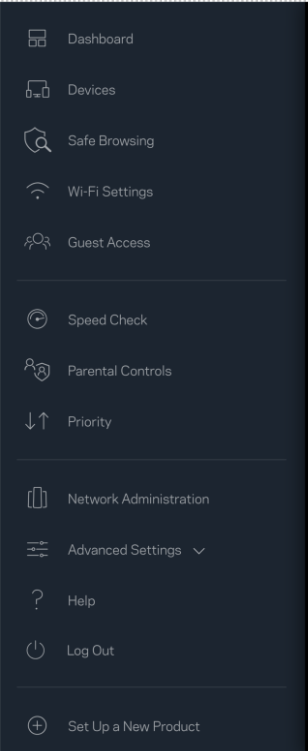
- From the main dashboard, press the 3 white lines on the top left corner. This will bring up the menu options.
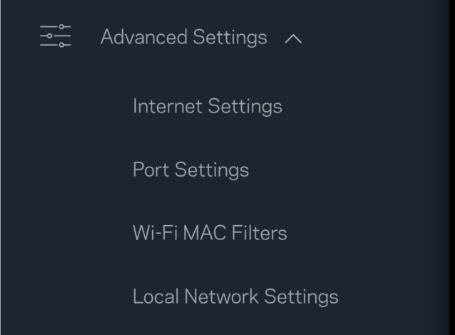
- Select ‘Advanced Settings’. This will then open more options.
- From these options, select ‘Port Settings’
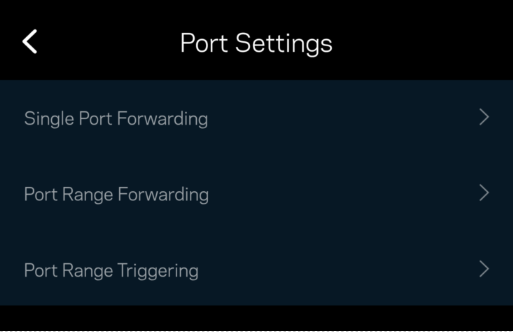
- Depending on your port forwarding requirements, select the relevant option.
- Once you fill in the information, click ‘Save’ on the top right corner to save changes.

