

Linksys Router - How do I run a Linksys speed test using the web interface?
Below is a guide on how to run a speed test from the Linksys web interface.
Please note, the results will show the speed coming into the property which should be as per your package. This speed test is different from a Wi-Fi speed test, which helps you determine the speed coming into your device.
(Here is a guide on how to run a Wi-Fi speed test: Wi-Fi Speed - How do I run a speed test)
To see what speeds you should be getting, please see: Wired Speed - What speeds should I be getting.
If you have a WiFi 5 or WiFi 6 router (square-shaped on top) you can follow the options directly below to manage and monitor your network settings. If you have a WiFi 7 router (droplet-shaped on top), follow the advice further down the page.
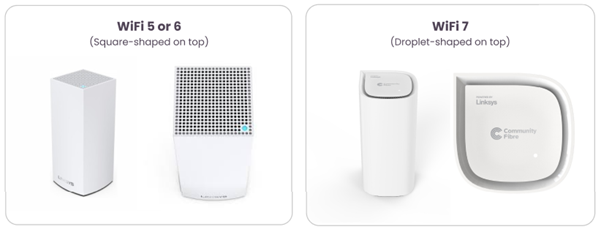
For WiFi 5 or WiFi 6 routers (square-shaped on top)
-
Login to the web interface. Please see article: Linksys Router - How do I login to the web interface.
-
Once you can see the dashboard on the left-hand side, please select the ‘Speed Check’ option.
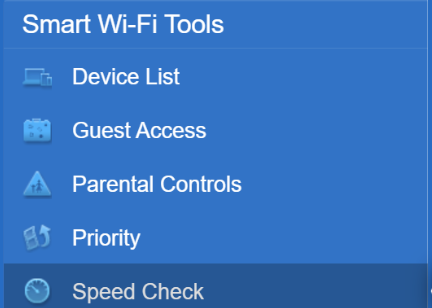
-
Press ‘Start’.
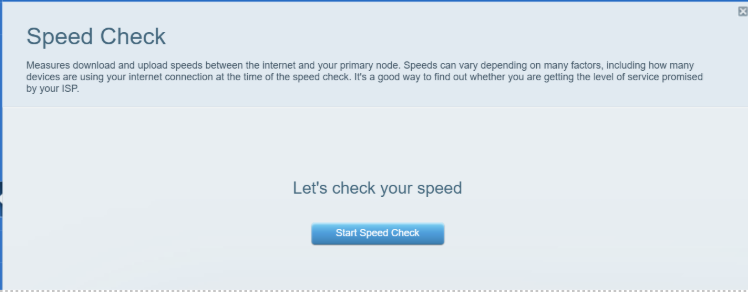
-
Please allow a few minutes for the test to run. It will then show you the speed test results.
For WiFi 7 routers (droplet-shaped on top)
There are 2 ways to run a speed test:
Login to the Linksys Now web interface. Please see article: Linksys Now - How do I login to the web interface.
Option 1
- Go to ‘Menu’ followed by ‘Speed Test’.

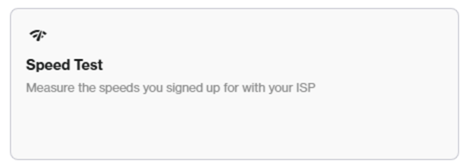
- Click ‘Go’. The speed test will run and display the results.

Option 2
-
On the ‘Home’ section, on the bottom left, there is a Speed test widget.
-
Click ‘Go’. The speed test will run and display the results.