

Linksys Now – Why am I not seeing the Linksys Now dashboard when I try to open it?
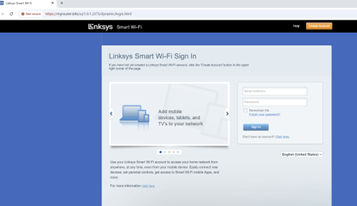
If you're having trouble accessing your router settings, you might see a page that looks different to what you're expecting.
What you might be seeing:
An old version of the Linksys WiFi login page
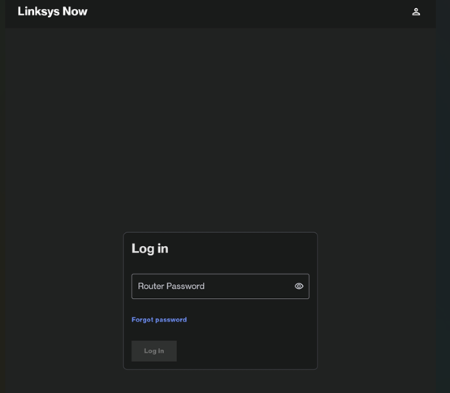
What you should be seeing:
The Linksys Now login page where you can enter your credentials to access router settings
How to fix this
There are a few reasons why this might be happening. Try these solutions:
- Check your connection: Make sure the device you're using (phone, tablet, or laptop) is connected to your Linksys WiFi 7 router – either through WiFi or with an ethernet cable. You need to be on the router's local network to access the settings. You can't access it from outside your home network or over the internet.
- Turn off your VPN: If you have a VPN connection active, it will place your device outside the router's local network and stop you from accessing the settings. Close any VPN connections and try again.
- Check your DNS settings: If you've manually set DNS server addresses on your device, this can prevent access to the router settings. Remove any custom DNS addresses and make sure your device is set to receive DNS addresses automatically. If you're not sure how to do this, check your device manufacturer's support guides.
- Turn off mobile data (for phones and tablets): If you're using a smartphone or tablet with mobile data (LTE/5G), your device might be sending requests over mobile data instead of through your WiFi connection. Try temporarily turning off mobile data or put your device in airplane mode with WiFi enabled. This forces all traffic to go through your WiFi connection to the router.

